|
Instant generated RMA number |
|
Email notification capabilities |
|
Track multiple product returns by a single RMA number |
|
Manage RMA lifecycle by integrated RMA status |
|
Link a support ticket to multiple RMAs |
|
Multi-attachment upload to an RMA request and a Support Ticket |
|
Supplier RMA management |
|
Multi-language storefront: |
|
Provide storefront in multiple languages |
|
Reseller account: |
|
Manage customers' data, RMA requests, support tickets by Reseller accounts |
|
Reporting: |
|
Generate customer approval sheets |
|
Track advance replacement RMA |
|
Track repair costs, labor and parts |
|
Warranty validation: |
|
Online product registration capability |
|
Automatic validation warranty on serial number |
|
Shipping: |
|
Support multiple shipping address each customer |
|
Generate shipping label and commercial invoice for return shipment |
|
Single click UPS, Fedex, USPS, DHL, TNT, GLS, Speedee shipment Tracking |
|
Integration: |
|
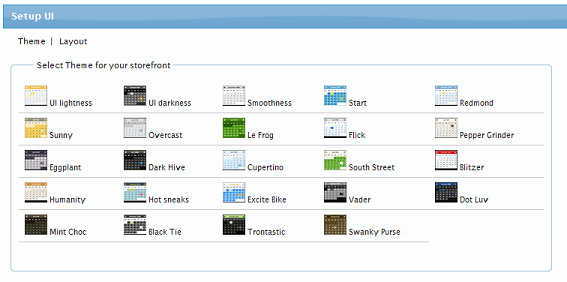
User selectable theme to fit your corporate website looks |
|
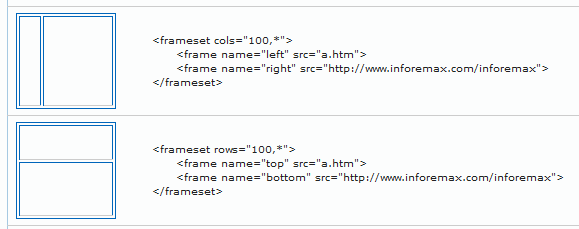
Integratable in a corporate website |
|
Extra: |
|
Import data via Excel file |
|
Export to Excel file |
|
Single click local data backup |
|
Direct remote MS SQL database access |
|
Hosting: |
|
Hosted on GoDaddy's ultra fast web servers |
|
World-Class Data Centers |
|
Daily Backups |
|
99.99% proven service uptime |
|
Unlimited bandwidth and database size |

 InFOREMAX Web Portal


 A web portal is designed to automate your customer helpdesk services. Made with a user selectable theme, it provides a web-based interface to your customers to file return merchandise requests online. Upon entering the request details, the web portal generates a unique number for the return request and sends notification email to your service group.